


Books - Read and Download
4.62.09K Reviews
App Specs
- Version
- 1.3
- Updated On
- License
- Free
- Downloads
- 5,000,000+
- Developer
- App Game Development Solutions
- Categories
- Books & Reference
- Platform
- Android, iOS
Screenshots
 Analysis by AppCompare
I like reading on my phone when I have a few spare minutes, but choosing an app can be harder than choosing a book: some focus on importing files, others on borrowing, and others on paid storefronts. Books - Read and Download is aimed at readers who want to find English-language books and read them on a mobile device. That makes it a straightforward place to start if you want a portable reading habit, though it is worth approaching it as a reading app rather than assuming it will replace every library or bookstore service.
Starting with a simple reading goal
The most useful way to judge this app is to begin with a real question: do you already know what you want to read, or are you browsing for something to fill a short break? If you have a title in mind, a focused search-and-read routine is likely to suit you. If you are undecided, browsing can help turn a commute or quiet evening into a chance to discover a book. The app is free, and its Everyone age rating makes it suitable for a broad audience, although each reader should still choose material that fits their own preferences.
Its appeal is particularly clear for people who read in English and want books close at hand without carrying a separate device. I would consider it for a student looking for reading practice, a commuter who wants something to open while waiting, or anyone who likes keeping a book on their phone for unplanned downtime. It is less compelling if your main need is a tightly managed personal collection of files, a specific lending-library catalogue, or extensive reading and research tools. Those needs are better served by apps built around importing, borrowing, or academic annotation.
From finding a book to making time for it
My practical workflow would be to open the app when I have a clear reading window, pick a book that fits it, and download it before heading somewhere with unreliable internet. Then I can use the waiting time itself for reading rather than spending it looking for a connection. That small bit of preparation is more useful than it sounds: a book that is already available on the phone is easier to return to than one that depends on being online at exactly the right moment.
For a realistic example, imagine a train ride after work. I would choose a book before leaving home, make sure it is ready for offline reading, and use the journey to read a chapter instead of scrolling through unrelated feeds. If I meet an unfamiliar word, I can check its meaning without abandoning the page; if a passage seems worth remembering, I can mark it or make a note. The benefit is not that every commute becomes a grand reading session, but that the app can reduce the small obstacles that usually interrupt one.
A useful habit is to decide what you want from a session before opening the catalogue. If you have ten minutes, pick something easy to resume; if you have a longer stretch, give yourself room to settle into a book. This helps keep browsing from taking over the time you meant to spend reading. I also prefer to download ahead of a trip rather than wait until I am already offline, since that turns the app into a dependable part of a travel routine rather than a last-minute gamble.
Your Personal Digital Library
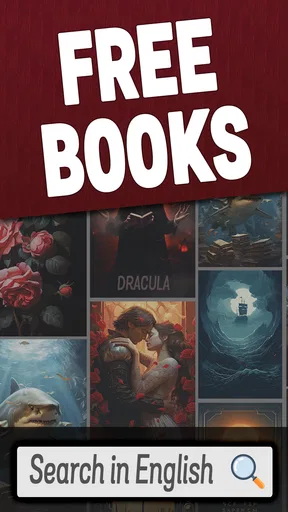
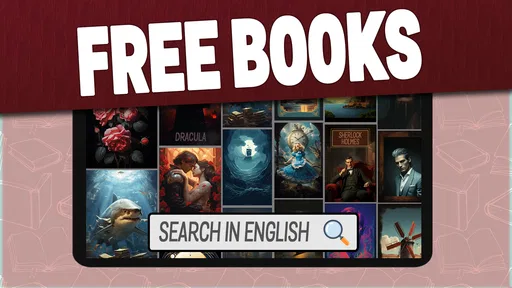
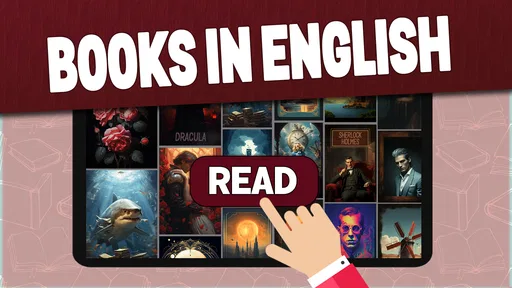
Imagine having access to thousands of books without ever leaving the comfort of your couch. That’s exactly what Books - Read and Download offers. Once you open the app, you’re greeted with a sleek and intuitive interface that’s easy on the eyes and even easier to navigate. The home screen features popular titles, new releases, and personalized recommendations based on your reading history. It’s like Netflix but for books!
Worth Reading Before You Choose

Flipboard Shows What News Apps Must Do Beyond the Feed

Switching to Android Auto Means Rethinking Your Driving Routine

Google Calendar Makes a Crowded Week Easier to Manage

Ludo King Makes the Most of the Minutes Between Plans

Baby Panda World Brings Quick Play to Modern Phones, but Its Game Library Feels Busy

ESPN’s Live Game View Makes Following Close Games Easier
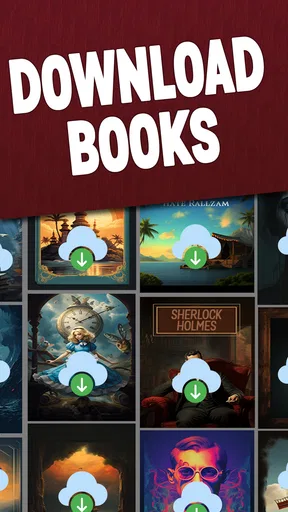
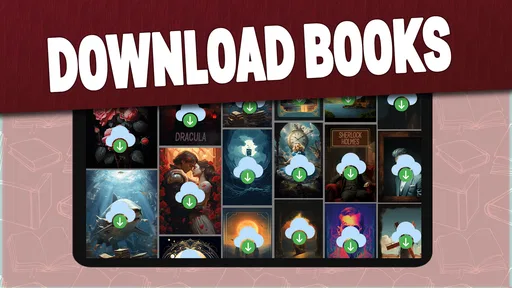
One thing that really impressed me is the diverse collection of genres available. Whether you’re into mystery, romance, sci-fi, or non-fiction, there’s something for everyone. Plus, the app allows you to download books for offline reading, which is a lifesaver when you’re on a flight or just out of Wi-Fi range.
Reading Experience
The reading experience on Books - Read and Download is nothing short of delightful. The app offers customizable reading settings, so you can adjust the font size, background color, and even the lighting to suit your preferences. I personally love the night mode feature for those late-night reading sessions.
Another cool feature is the built-in dictionary. Just hold down on a word you’re curious about, and voilà! The definition pops up. This is especially handy for those obscure words authors love to throw in. Plus, you can highlight passages and take notes, making it perfect for students or anyone who loves to annotate their books.
Keeping notes useful after a reading session
Highlights and notes are most valuable when I keep them selective. Rather than marking every paragraph that sounds memorable, I would save only the lines I want to revisit or the ideas I need for a class discussion. That makes annotations easier to use later and keeps them from becoming a second, cluttered version of the book. For language learners, the dictionary can also turn a novel into gentle practice: look up only words that block understanding, then keep reading instead of stopping for every unfamiliar phrase.
That workflow has a trade-off. An in-app note is convenient while reading, but it should not automatically be treated as a complete study or backup system. If a passage matters for a paper or a long-term project, I would copy the essential idea into whatever notes system I already rely on and keep enough context to find it again. The reading tools help with quick reference; they do not remove the value of an organized research workflow.
Community and Sharing
Reading can be a solitary activity, but Books - Read and Download adds a social twist. The app includes a community feature where you can join book clubs, discuss your favorite reads, and share recommendations with friends. I found this feature pretty neat as it connects you with fellow book lovers around the world.
Moreover, sharing quotes or passages is a breeze. With just a tap, you can post your favorite lines on social media or send them to a friend. This feature adds an interactive layer to the reading experience, making it more engaging and fun.
Making sharing fit the way you read
For me, social tools work best as an optional handoff rather than the centre of the reading experience. A quote can be a good way to invite a friend into a book, and a discussion can help me notice something I missed. But if I am reading to concentrate, I would leave the social side until after a chapter. The practical choice is to treat sharing as a follow-up: read first, save a passage if it matters, then decide whether it is worth sending or discussing.
There is also a difference between sharing a striking line and asking a community to choose your next read. Recommendations are useful when they match your taste, but they are not a substitute for checking whether a book suits your current mood or reading level. I would use the community to broaden my shortlist, not to hand over the final decision. That keeps discovery enjoyable without letting other people’s enthusiasm turn reading into another feed to keep up with.
How it fits beside other reading options
Compared with an ebook reader centred on files you already own, this app puts more emphasis on finding books inside the app and keeping reading on the phone. That is convenient when I want a quick start, while a file-focused reader is a better fit if I have a carefully curated collection or depend on a particular file format. A library-borrowing app is the more natural choice when borrowing from a local collection is the priority; a bookstore app makes more sense when I want a specific commercial title and a familiar purchase flow.
Those alternatives are not automatically better; they solve different problems. The advantage here is the combination of discovery, reading, and offline access in one place. The trade-off is that readers should not assume it has the exact catalogue, lending arrangements, or collection management they may know from another service. If a particular title is essential, I would check whether it is available before making this my only reading option. If I am simply looking for something to read next, the integrated approach is more appealing.
Subscription and Accessibility
When it comes to cost, Books - Read and Download offers a few options. There’s a free version with ads, which is pretty standard, but if you’re like me and prefer an uninterrupted reading experience, the premium subscription is worth considering. It gives you access to exclusive titles and an ad-free experience.
One of the best parts? The app is available on both Android and iOS, so no matter what device you’re using, you can dive into your favorite stories. It’s a seamless experience across platforms, which is a big win in my book.
Practical fit, device support, and expectations
The app is made by App Game Development Solutions, and its current version is 1.3. Its reach is substantial, with over five million installs and an average rating of 4.6 from around 132,000 ratings. Those figures suggest that many readers have tried it, but they cannot tell me whether its catalogue matches my own tastes; I would still judge it by whether I can find books I actually want to finish.
It is free to get started, which makes trying the basic reading routine low-commitment. I would not, however, assume that every title or reading option is included on the same terms just because the app itself costs nothing to install. The earlier description of a premium subscription also makes it sensible to check the choices presented in the app before deciding whether an upgrade is useful to you. If avoiding ads is essential, that distinction matters; if you are only testing whether the app fits your habits, begin with the free option and see how it feels.
For device planning, the minimum operating-system requirement is version 9. I would check that before trying to set it up on an older phone or tablet, especially if the device is one you keep as a dedicated reader. The app’s availability for Android and iOS gives it broad reach, but it does not by itself guarantee that every detail of a reading session carries between devices. If you expect to switch phones mid-book, verify how your progress and notes behave before relying on that workflow.
Where the routine can falter
The strongest reason to skip this app is a mismatch between its simple reading purpose and your expectations. If you want a specific book that is not available, elaborate library organization, or a service built around borrowing, another option may be more satisfying. Likewise, readers who dislike advertisements may find the free experience less relaxing, while a paid alternative may be preferable if its terms and catalogue are a better fit.
There is a more ordinary friction, too: a large catalogue can make choosing harder, not easier. I would avoid opening the app with no plan when I have only a few minutes, because browsing can consume the time I hoped to spend reading. Picking a genre, author, or general mood in advance gives discovery a useful boundary. And when I need the book away from Wi-Fi, downloading before departure is the sensible step; offline access is valuable only if I prepare while connected.
Readers may also wonder whether this is suitable for focused study. The dictionary, highlights, and notes make it more useful than a bare page-turning reader for light annotation and vocabulary practice. For a demanding research project, though, I would pair it with a dedicated note-taking system rather than depend on reading annotations alone. That distinction is important: the app can support learning without being a complete academic workspace.
In conclusion, Books - Read and Download is a fantastic app for anyone who loves to read. It’s packed with features that enhance the reading experience, and the wide selection of books ensures that there’s always something new to discover. Whether you’re a casual reader or a die-hard bibliophile, this app is definitely worth checking out. Happy reading!
Pros
- Extensive library with diverse genres.
- User-friendly interface with easy navigation.
- Offline reading available for downloaded books.
- Customizable reading settings for comfort.
- Regular updates with new releases.
Cons
- Requires subscription for premium features.
- Limited free content available.
- Ads can be intrusive in free version.
- Occasional crashes on older devices.
- No audiobook integration.
FAQs for Books - Read and Download
What features does the Books - Read and Download app offer?
The Books - Read and Download app provides a comprehensive digital library experience. Users can access thousands of titles across various genres, download books for offline reading, and customize their reading experience with adjustable fonts and themes. Additionally, it offers features like bookmarks, annotations, and a night mode for comfortable reading.
Is the Books - Read and Download app free to use?
The app is free to download and offers a selection of free books. However, access to premium content and certain features may require a subscription or one-time purchase. Users can explore the app’s offerings to decide if the additional paid features align with their reading needs.
Does the app require an internet connection to access books?
While an internet connection is necessary to download books and browse the library, the app supports offline reading. Once a book is downloaded, you can read it without an internet connection, making it convenient for users who want to enjoy their books on the go.
Is the app compatible with all devices?
The Books - Read and Download app is available for both Android and iOS devices. It is optimized for smartphones and tablets, ensuring that users have a seamless reading experience regardless of their device. Compatibility may vary slightly depending on the operating system version.
How can I manage my downloaded books within the app?
Managing downloaded books is straightforward within the app. Users can organize their library using collections or tags, delete books to free up space, and access a history of their reading activity. The app also provides search functionality to easily locate specific titles in your collection.


